

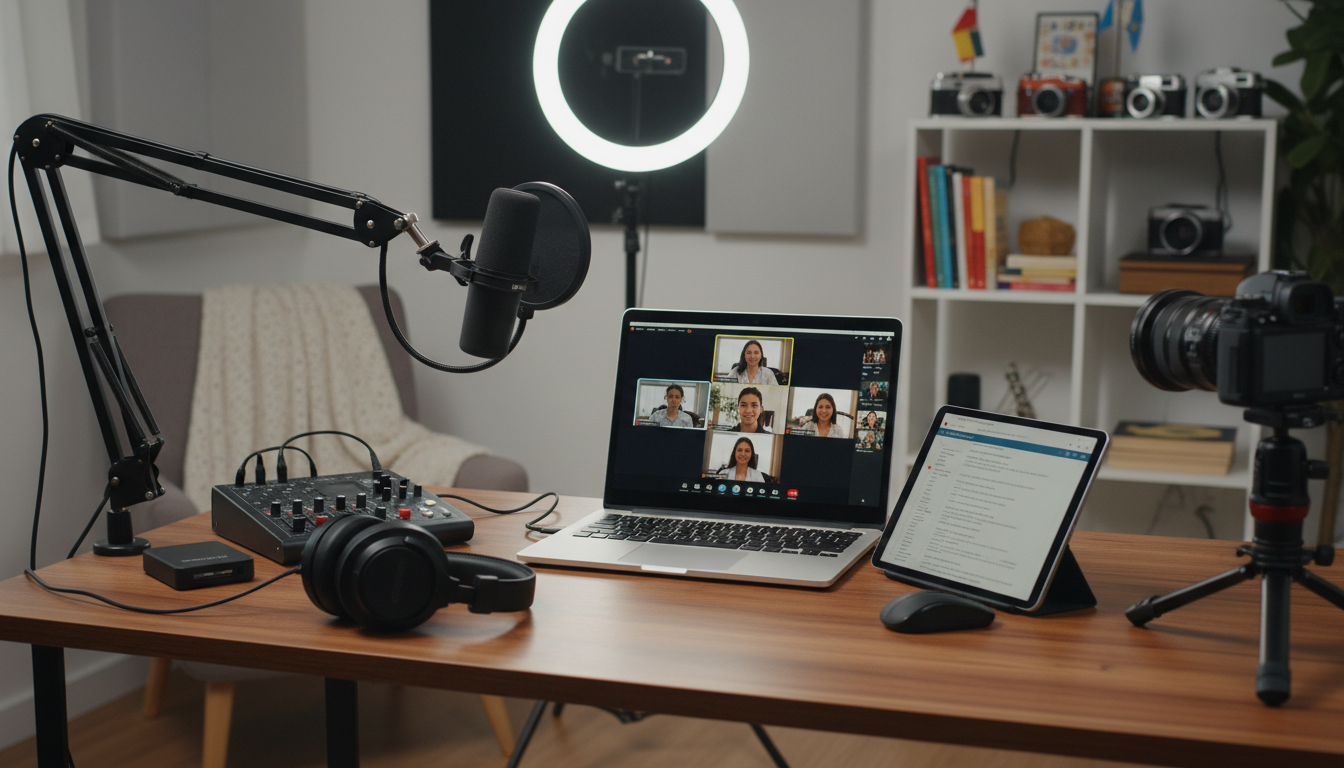
In the evolving landscape of digital storytelling, remote interviewing has become an indispensable tool. As we approach 2026, the technology and techniques surrounding these interviews are becoming increasingly sophisticated. For storytellers, journalists, documentarians, and content creators, staying ahead of the curve is crucial. This article explores the best gear and software poised to dominate the remote interviewing scene in 2026, providing insights and recommendations to help you capture compelling stories from anywhere in the world.
The Rise of Remote Interviewing
Remote interviewing has transformed how stories are gathered and shared. It offers unprecedented flexibility, allowing storytellers to connect with subjects regardless of geographical barriers. This approach broadens the scope of potential narratives, enabling diverse voices and perspectives to be included. The advancements in technology, particularly in video conferencing and audio recording, have made remote interviews a viable and often preferred alternative to in-person meetings.
Why Remote Interviewing is Essential in 2026
By 2026, remote interviewing will be even more crucial for several reasons:
- Global Reach: Connect with subjects worldwide without travel expenses or logistical challenges.
- Time Efficiency: Schedule and conduct interviews quickly, saving time for both the interviewer and interviewee.
- Cost-Effectiveness: Reduce travel, accommodation, and venue costs associated with traditional interviews.
- Safety and Accessibility: Provide a safe and accessible platform for individuals who may have mobility issues or concerns about in-person meetings.
- Enhanced Flexibility: Adapt to varying schedules and time zones, making it easier to secure interviews with busy professionals.
Essential Gear for Remote Interviews in 2026
To conduct successful remote interviews, investing in the right gear is essential. Here’s a breakdown of the key equipment you’ll need in 2026:
Cameras: Capturing Clear Visuals
The camera is the cornerstone of any video interview. In 2026, expect even higher standards for visual quality. Here are some top contenders:
- 4K Webcams: Models like the Logitech Brio and Razer Kiyo Pro offer exceptional image quality, even in low-light conditions. Look for features like HDR, autofocus, and adjustable field of view.
- Mirrorless Cameras: For a professional look, consider using a mirrorless camera like the Sony Alpha series or the Canon EOS R series. These cameras provide superior image quality, depth of field control, and the ability to use interchangeable lenses. You’ll need a capture card like the Elgato Cam Link 4K to connect it to your computer.
- PTZ (Pan-Tilt-Zoom) Cameras: Ideal for dynamic interviews where you need to adjust the camera angle remotely. Models from brands like BirdDog and NewTek offer excellent control and image quality.
Microphones: Ensuring Crisp Audio
Audio quality is paramount. A clear, crisp audio signal is essential for engaging viewers and understanding the interviewee. Consider these options:
- USB Microphones: Brands like Blue Yeti, Rode NT-USB+, and Audio-Technica AT2020USB+ offer excellent sound quality and ease of use. Look for models with multiple polar patterns (cardioid, omnidirectional, bidirectional) to suit different interview environments.
- Lavalier Microphones: Also known as lapel mics, these are ideal for hands-free interviews. Wireless options like the Rode Wireless GO II provide freedom of movement, while wired options like the Audio-Technica ATR3350iS offer reliable performance.
- Shotgun Microphones: Best used in controlled environments, shotgun mics like the Rode NTG5 and Sennheiser MKH 416 provide directional audio capture, minimizing background noise.
Lighting: Illuminating Your Subject
Proper lighting can dramatically improve the visual quality of your interviews. Here are some lighting solutions to consider:
- LED Panels: Soft, diffused LED panels provide even illumination. Brands like Neewer and Yongnuo offer affordable and versatile options.
- Ring Lights: Ideal for close-up interviews, ring lights provide a flattering, shadow-free light. Look for models with adjustable color temperature and brightness.
- Key Lights and Fill Lights: A classic three-point lighting setup involves a key light (main light source), a fill light (to soften shadows), and a backlight (to separate the subject from the background).
Accessories: Enhancing Your Setup
Don’t overlook the importance of accessories. These can significantly improve the quality and convenience of your remote interviews:
- Headphones: Closed-back headphones like the Sony MDR-7506 or Audio-Technica ATH-M50x provide accurate audio monitoring and prevent sound leakage.
- Pop Filters and Windscreens: These reduce plosives (harsh “p” and “b” sounds) and wind noise, ensuring cleaner audio.
- Microphone Stands and Boom Arms: Position your microphone optimally for the best sound quality.
- Acoustic Treatment: Use acoustic panels or blankets to minimize echo and reverberation in your recording space.
- Green Screens: For virtual backgrounds and visual effects, a green screen can add a professional touch.
Top Software for Remote Interviews in 2026
The right software is just as important as the hardware. Here are some of the leading software solutions for remote interviewing in 2026:
Video Conferencing Platforms
These platforms provide the foundation for conducting remote interviews:
- Zoom: A widely used platform known for its reliability and ease of use. Features like breakout rooms, virtual backgrounds, and recording capabilities make it a versatile choice.
- Microsoft Teams: Integrated with the Microsoft ecosystem, Teams offers robust collaboration tools and video conferencing features.
- Google Meet: Accessible through Google Workspace, Meet provides a seamless experience for users already invested in Google’s services.
- Skype: A long-standing platform that remains a reliable option for video calls.
- Riverside.fm: Specifically designed for recording podcasts and interviews, Riverside.fm offers high-quality audio and video recording, even with poor internet connections.
Recording and Editing Software
These tools are essential for capturing and refining your interviews:
- OBS Studio: A free and open-source software for recording and streaming video. It offers advanced features like scene switching, audio mixing, and custom overlays.
- Adobe Audition: A professional audio editing software for cleaning up and enhancing your audio recordings.
- Adobe Premiere Pro: A powerful video editing software for assembling and polishing your interview footage.
- DaVinci Resolve: A comprehensive video editing software with advanced color correction and audio mixing capabilities.
- Audacity: A free and open-source audio editor that provides basic tools for recording and editing audio.
Transcription Services
Transcription services can save you time and effort by converting your audio recordings into text:
- Otter.ai: An AI-powered transcription service that offers real-time transcription and speaker identification.
- Descript: A powerful audio and video editing tool that uses transcription to simplify the editing process.
- Trint: A transcription platform that allows you to search, edit, and share your transcripts.
- Happy Scribe: A transcription service that supports multiple languages and offers human and AI-powered transcription options.
Tips for Conducting Successful Remote Interviews in 2026
Even with the best gear and software, conducting a successful remote interview requires careful planning and execution. Here are some tips to help you succeed:
Preparation is Key
- Research Your Subject: Thoroughly research your interviewee and their background to formulate insightful questions.
- Prepare a Detailed Outline: Create a structured outline with key topics and questions to guide the interview.
- Test Your Equipment: Before the interview, test your camera, microphone, and software to ensure everything is working correctly.
- Send a Pre-Interview Checklist: Provide your interviewee with a checklist of things to prepare, such as finding a quiet space, ensuring good lighting, and testing their equipment.
During the Interview
- Establish a Connection: Start with a friendly introduction and small talk to build rapport with your interviewee.
- Maintain Eye Contact: Look directly at the camera to simulate eye contact and engage your viewers.
- Listen Actively: Pay close attention to your interviewee’s responses and ask follow-up questions to delve deeper into their story.
- Manage Technical Issues: Be prepared to troubleshoot technical issues that may arise, such as audio or video problems.
- Be Patient and Flexible: Remote interviews can be unpredictable, so be patient and adapt to unexpected situations.
Post-Interview
- Thank Your Interviewee: Express your gratitude for their time and insights.
- Review the Footage: Watch the interview footage carefully to identify key moments and sound bites.
- Edit and Polish: Use editing software to refine the audio and video quality and create a compelling narrative.
- Transcribe the Interview: Transcribe the interview to make it easier to search, edit, and create captions.
The Future of Remote Interviewing
As technology continues to advance, the future of remote interviewing looks promising. Here are some trends to watch for in 2026 and beyond:
AI-Powered Enhancements
Artificial intelligence will play an increasingly important role in remote interviewing. AI-powered tools will automate tasks like transcription, audio enhancement, and video editing, making the process more efficient and accessible.
Virtual and Augmented Reality
VR and AR technologies could create more immersive and engaging remote interview experiences. Imagine conducting an interview in a virtual environment that replicates a real-world location or using AR to overlay visual aids and graphics during the conversation.
Improved Bandwidth and Connectivity
As internet speeds continue to increase and 5G becomes more widespread, remote interviews will become even more reliable and seamless. Higher bandwidth will allow for higher-quality video and audio transmission, reducing the risk of technical glitches.
Enhanced Security and Privacy
With growing concerns about data privacy, expect to see more secure and encrypted platforms for remote interviewing. These platforms will protect sensitive information and ensure the confidentiality of your conversations.
Case Studies: Successful Remote Interviews
Let’s look at some examples of how remote interviewing has been used effectively in various fields:
Journalism
Reporters have used remote interviewing to cover breaking news stories from around the world, interviewing eyewitnesses, experts, and officials without having to travel to the scene.
Documentary Filmmaking
Documentary filmmakers have used remote interviews to capture diverse perspectives on complex social issues, interviewing subjects who may be geographically dispersed or unable to travel.
Podcasting
Podcasters have used remote interviews to connect with guests from different backgrounds and industries, creating engaging and informative content for their listeners.
Academic Research
Researchers have used remote interviews to conduct qualitative studies, gathering data from participants around the world without the need for face-to-face meetings.
Overcoming Challenges in Remote Interviewing
While remote interviewing offers many advantages, it also presents some challenges. Here are some common issues and how to overcome them:
Technical Difficulties
Technical glitches can disrupt the flow of an interview. To minimize these issues, test your equipment and software beforehand, have a backup plan in place, and be prepared to troubleshoot problems on the fly.
Lack of Nonverbal Cues
It can be challenging to read nonverbal cues in a remote interview. Pay close attention to the interviewee’s facial expressions, body language, and tone of voice to gain a deeper understanding of their message.
Distractions
Distractions can be a problem for both the interviewer and interviewee. Choose a quiet and private space for the interview, minimize background noise, and ask the interviewee to do the same.
Building Rapport
It can be more difficult to build rapport in a remote interview than in person. Start with a friendly introduction, maintain eye contact, and show genuine interest in the interviewee’s story.
Remote Interviewing for Storytellers: A Checklist for 2026
To ensure you’re fully prepared for remote interviewing in 2026, here’s a comprehensive checklist:
- Camera: Invest in a high-quality webcam or mirrorless camera with excellent image quality.
- Microphone: Choose a USB microphone, lavalier microphone, or shotgun microphone that provides clear and crisp audio.
- Lighting: Use LED panels, ring lights, or a three-point lighting setup to illuminate your subject effectively.
- Accessories: Purchase headphones, pop filters, microphone stands, and acoustic treatment to enhance your setup.
- Software: Select a reliable video conferencing platform, recording and editing software, and transcription service.
- Preparation: Research your subject, prepare a detailed outline, and test your equipment before the interview.
- Execution: Establish a connection, maintain eye contact, listen actively, and manage technical issues during the interview.
- Post-Interview: Thank your interviewee, review the footage, edit and polish the audio and video, and transcribe the interview.
Conclusion
Remote interviewing is an evolving field, and staying updated with the latest gear and software is essential for storytellers in 2026. By investing in the right equipment, mastering the necessary software, and following best practices, you can capture compelling stories from anywhere in the world. The future of storytelling is increasingly digital, and remote interviewing will continue to play a vital role in shaping how stories are gathered, shared, and consumed.
FAQ: Remote Interviewing in 2026
Here are some frequently asked questions about remote interviewing, tailored to the landscape of 2026:
1. What are the most common technical issues encountered during remote interviews, and how can I prevent them?
The most common issues include poor internet connection, audio problems (e.g., echo, low volume), and video quality issues (e.g., blurry image, lag). To prevent these, ensure both you and your interviewee have a stable, high-speed internet connection. Use wired connections whenever possible. Test your equipment and software beforehand. Close unnecessary applications during the interview to free up bandwidth. Have a backup plan, such as a phone call, in case the video connection fails.
2. How can I ensure the security and privacy of my remote interviews?
Use video conferencing platforms that offer end-to-end encryption. Ensure your software and operating systems are up to date with the latest security patches. Advise your interviewee to conduct the interview in a private and secure location. Avoid sharing sensitive information over unsecured channels. If recording the interview, store the files securely and password-protect them. Be transparent with your interviewee about how the interview will be recorded and used.
3. What are the best practices for lighting and audio in a remote interview setup?
For lighting, use soft, diffused light to illuminate your face evenly. Avoid harsh shadows and backlighting. Position your light source in front of you, slightly above eye level. For audio, use an external microphone to improve sound quality. Minimize background noise by conducting the interview in a quiet room. Use headphones to prevent echo and feedback. Test your audio levels before starting the interview to ensure they are clear and consistent.
4. How can I make a remote interview feel more personal and engaging?
Start with a friendly introduction and engage in small talk to build rapport. Maintain eye contact by looking directly at the camera. Listen actively and ask follow-up questions to show genuine interest. Use visual cues, such as nodding and smiling, to demonstrate engagement. Be yourself and let your personality shine through. Consider using virtual backgrounds that reflect your personality or the topic of the interview.
5. What are some advanced techniques for editing and enhancing remote interview footage?
Use video editing software to remove unwanted pauses, filler words, and distractions. Correct color and brightness to improve visual quality. Use audio editing software to reduce noise, remove echo, and balance audio levels. Add graphics, animations, and text overlays to enhance the visual appeal of the interview. Use transcription services to create captions, making the interview accessible to a wider audience. Consider using AI-powered tools to automate tasks like noise reduction and color correction.

Arthur Zani is a podcast storytelling enthusiast who helps beginner podcasters turn simple ideas into engaging audio stories. With a strong focus on clarity, emotion, and listener connection, they share practical tips and insights to help new creators build confidence, improve retention, and tell stories that truly resonate.